

GiveWP Pricing and Plans on Discount
GiveWP is an all-in-one fundraising solution for WordPress that helps nonprofits grow donations, engage supporters, and streamline their giving experience with powerful tools and integrations.
It offers 4 plans via its official website and you can visit it using our SPECIAL LINK.
Once you are on the GiveWP’s website, you need to click Pricing on the main navigation and it will show you all the plans with the original pricing.
Now, for claiming the 15% discount, you need to first select a plan and then apply the GiveWP coupon code during the checkout.
This is the introductory discount by GiveWP which means you will only be able to use this GiveWP promo once.
Below we have shared the discounted GiveWP pricing followed by the features included in all the plans.
What’s included in GiveWP Basic Plan
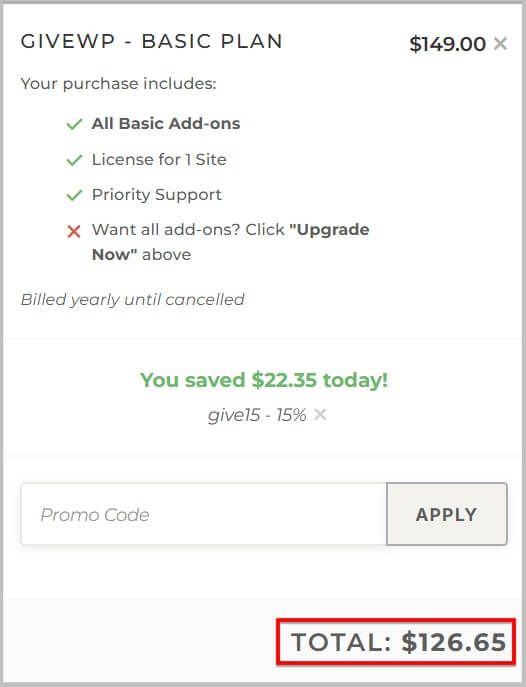
- Unlimited Forms
- Stripe and Paypal
- Donor Management
- Insightful Reporting
- Basic Add-ons
- All Payment Gateways
- 1 Site License
- Priority Support
What’s Included in GiveWP Plus Plan
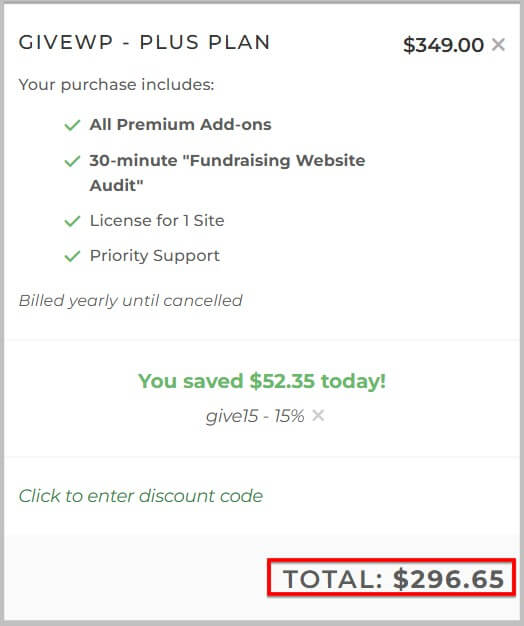
- Unlimited Forms
- Stripe and Paypal
- Donor Management
- Insightful Reporting
- All Basic and Premium Add-ons
- All Payment Gateways
- Recurring Donations
- 1 Site License
- 30 Minute Fundraising Website Audit
- Priority Support
What’s Included in GiveWP Pro Plan
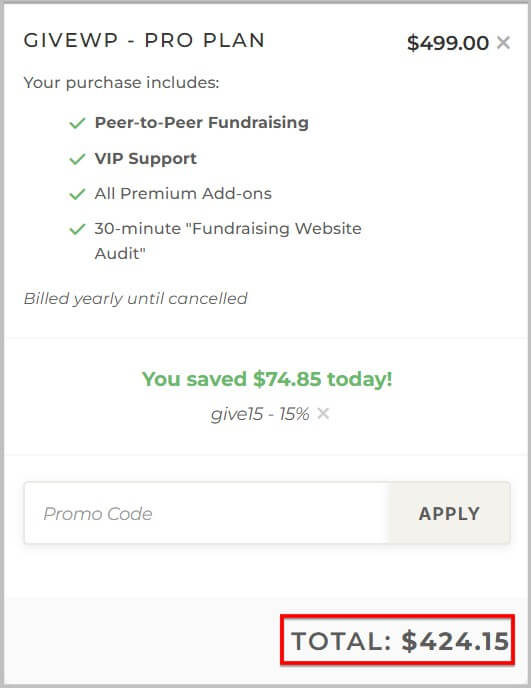
- Unlimited Forms
- Stripe and Paypal
- Donor Management
- Insightful Reporting
- All Basic and Premium Add-ons
- All Payment Gateways
- Peer To Peer Fundraising
- Recurring Donations
- 1 Site License
- 30 Minute Fundraising Website Audit
- VIP Support
What’s Included in GiveWP Agency Plan
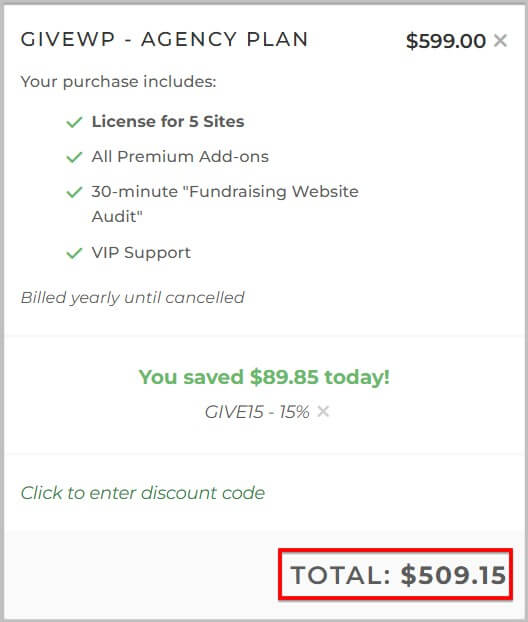
- Unlimited Forms
- Stripe and Paypal
- Donor Management
- Insightful Reporting
- All Basic and Premium Add-ons
- All Payment Gateways
- Peer To Peer Fundraising
- Recurring Donations
- 5 Site License
- 30 Minute Fundraising Website Audit
- VIP Support
How to use the GiveWP Coupon Code
- To use this GiveWP coupon, the first step is to visit its official website using our SPECIAL LINK and click Pricing on the homepage.
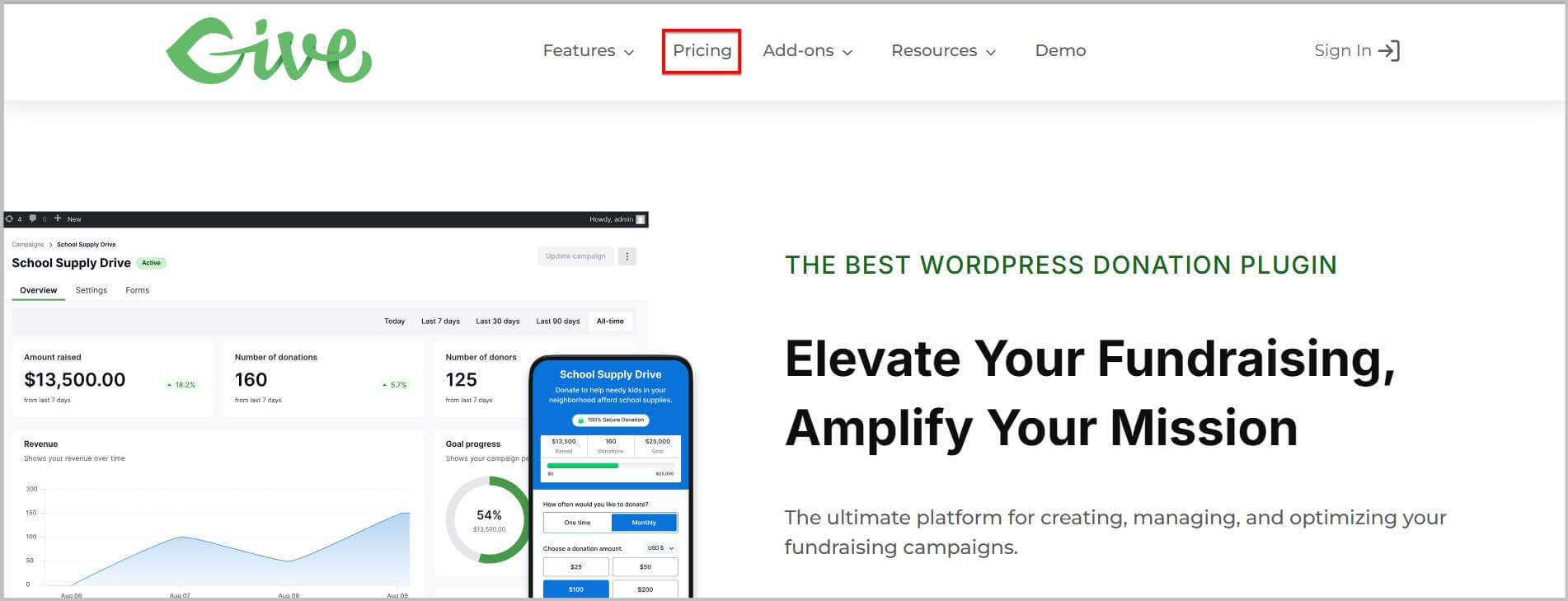
- Doing this will show you all the plans offered by GiveWP and you will have to choose one as per your needs.
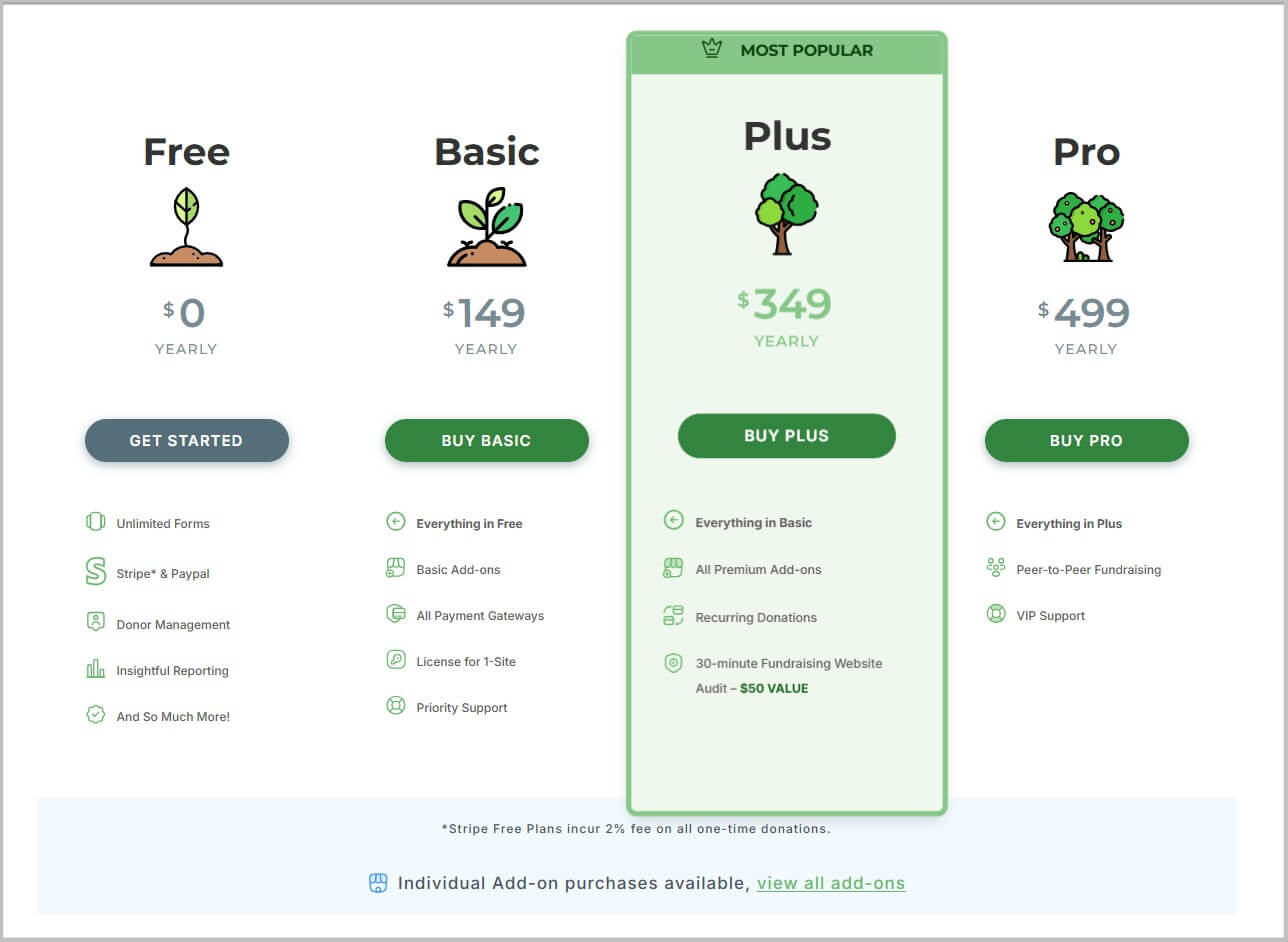
- Once you are done selecting a GiveWP plan, it will take you to the checkout page where you will come across the option to add the promo code.
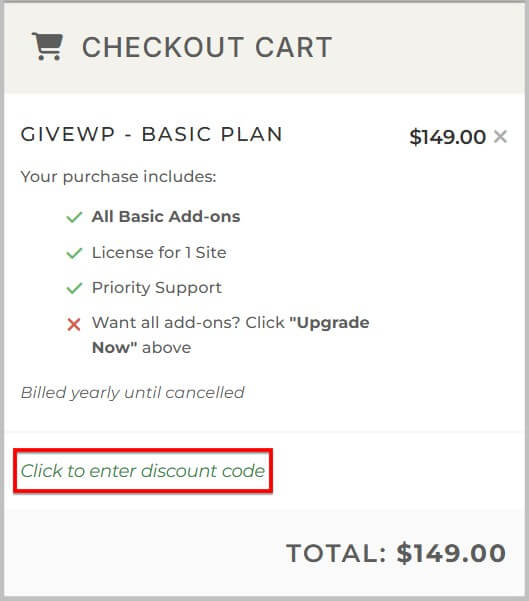
- You need to click this option and add the GiveWP discount code GIVE15.
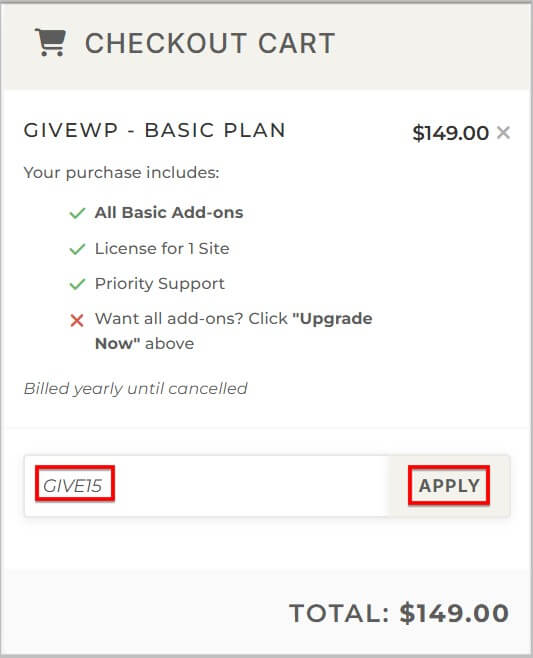
- On successfully applying the GiveWP promo, it will give you a 15% discount and the last step is to provide some basic information and complete the purchase process.
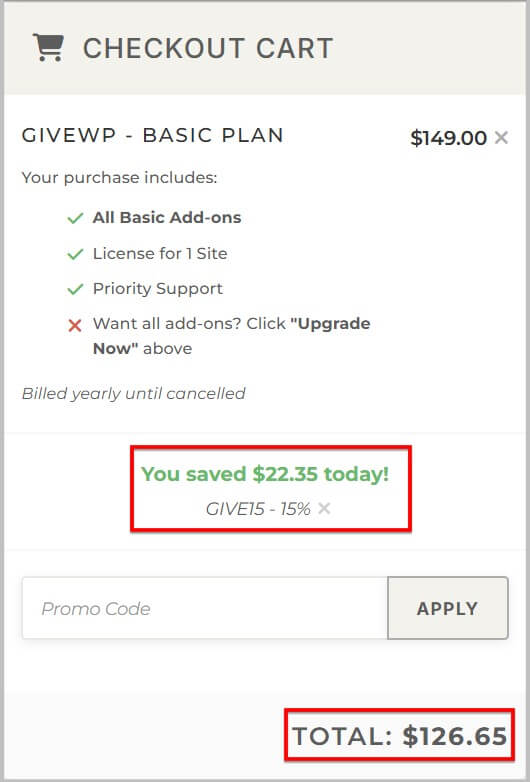
And that’s it you have successfully bought GiveWP subscription on discount.
GiveWP Promo Code- FAQ
What is GiveWP
GiveWP is a WordPress plugin that enables individuals and organizations to accept online donations, manage donors, and run fundraising campaigns directly on their website.
Does GiveWP Offer Deals on Their Plans
Yes, GiveWP does offer deals on their plans and you will get 15% discount using the GiveWP first order promo code GIVE15.
From Where Can I Buy GiveWP Plans on Discount
You can buy it from their official website.
When Will the GiveWP Sale Start
It is LIVE NOW and you can use the GiveWP discount code GIVE15 to get 15% OFF.
What Exactly is This GiveWP Promo
As mentioned above, you will get 15% discount on your purchase using the GiveWP promo GIVE15 for a LIMITED TIME ONLY.
How to claim This GiveWP Deal
To claim this GiveWP deal, the first step is to visit its official website and click Pricing on the homepage.
In the next step you need to select a plan and enter the GiveWP promo code GIVE15 at checkout.
Once the coupon is successfully applied you need to provide some basic details and pay.
is This the GiveWP Introductory Discount Code
Yes, Give15 is the GiveWP’s introductory promo
What is the GiveWP First Order Coupon Code
GIVE15 is the GiveWP’s first order discount code.
I have Missed This GiveWP Offer. What to Do Now
As this the GiveWP’s introductory sale, there is no end date provided for it and you can claim it by using the promo code GIVE15 on checkout.
Do I Need a Promo Code To Claim This GiveWP Discount
Yes, you need to enter the GiveWP first order discount code GIVE15 during checkout and it will get you 15% OFF.
Is this the Best GiveWP Offer
GiveWP offers a massive discount during Black Friday. However, if you have missed that sale then this is the best option for you.
How to buy GiveWP Agency Plan on Discount
To buy the GiveWP Agency plan on discount, you need to visit its official website using our SPECIAL LINK and click Pricing on the homepage.
On the pricing page you need to click Compare plans on top and then scroll down a little where you will come across the GiveWP Agency plan.
In the next step you need to select this plan and it will take you to the checkout page.
On the checkout page you will find an option to enter the promo code on the right and in there you need to add and apply the GiveWP coupon code GIVE15.
Once the discount code is successfully applied the last step is to complete the purchase process.
Does GiveWP Offer Support for Their Users
Yes, GiveWP offer support for their users.
What is GiveWP’s Money Back policy
GiveWP offers a 30 day money back policy and you can read about it here.